 paintqr
A business card code with your initials
A contact card code saves your name, phone and email straight into the phone. Make it show your initials or logo, and it reads as yours at a glance.
Make a card code
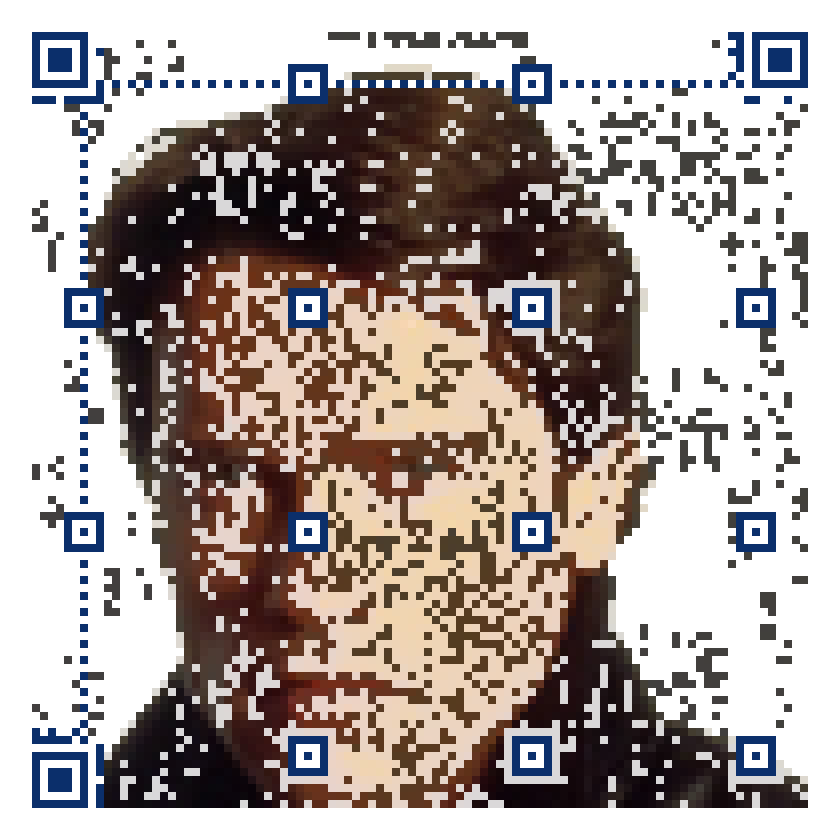
The first holds a sample card for Jane Doe, the second a card for Arnold Schwarzenegger with his Wikipedia page. Scan one and your phone offers to save it.
Works without an app
Phones open a contact card straight from the camera. The picture is carried by one extra line in the card that contact apps ignore, so the saved contact is clean.
Sized for a card
The download states the smallest size that scans. On a standard card that leaves room for your name beside it.
Print size
A contact card holds more than a link, so these codes are denser: print them at 5 cm across or larger. How the sizes were measured.
Who this is for
Anyone who hands out cards and wants the details to end up in the other person's phone rather than in a drawer: consultants, agents, tradespeople, founders. A contact-card code saves your name, phone, email, company and website in one scan, with the phone's own Add Contact screen, no app needed.
On a PaintQR card code the code itself shows your initials or your logo, so the card reads as yours before anyone scans it, and a scanned card is not mistaken for someone else's.
Where it goes and how big
A contact card holds more data than a link, so its code is denser and needs more room: the generator usually states 4.5 to 5 cm across for initials at Medium or High detail. On a standard 85 × 55 mm card that is the right-hand third, with your name and role beside it. If you want the code smaller, carry fewer fields: name, phone and email are what people actually use.
Business cards are often printed on textured or coated stock. Textured paper breaks the squares' edges; if you must, go one size up. Gloss coatings reflect light; a matte laminate scans best. Dark cards: print the code in a white panel, since cameras read dark squares on a light ground, not the other way round.
Static or editable
A contact card is usually static: the details are in the code and work forever, with no subscription. If your phone number or company might change, use an editable link instead: the code opens a short address that forwards to an online contact page you can update, and the card never goes out of date.
Questions
Does the phone need an app to read a contact card code?
No. The iPhone camera and the Android camera both recognise a contact card and offer to save it.
Why is a card code bigger than a link code?
It holds more text: name, phone, email, company and website. More data means more squares, and each square needs about 0.6 mm in print to scan reliably. Fewer fields make a smaller code.
Can the picture be my logo rather than initials?
Yes. Upload the logo; simple shapes with clear contrast make the most recognisable codes. The generator shows how well the picture comes through and warns when it will not.
Can I update the details after printing?
Only with an editable link that forwards to an online contact page. A static contact card is fixed once printed.